Back to Home
Mission Assurance Platform

Intelligent Mission Assurance:The Complete Process

Three integrated steps that combat the top causes of drone accident whilst validating your mission from start to finish.

Step 1

Obstacle Height Assessment

Know your safe altitude

Step 2

Crew Placement & LOS

Optimise observer positioning

Your Mission Software

YOU

Design paths • Create waypoints • Add commands

Your creative control

Step 3

Final Mission Validation

Validate energy, terrain, visibility

Step 1

Obstacle Height Assessment

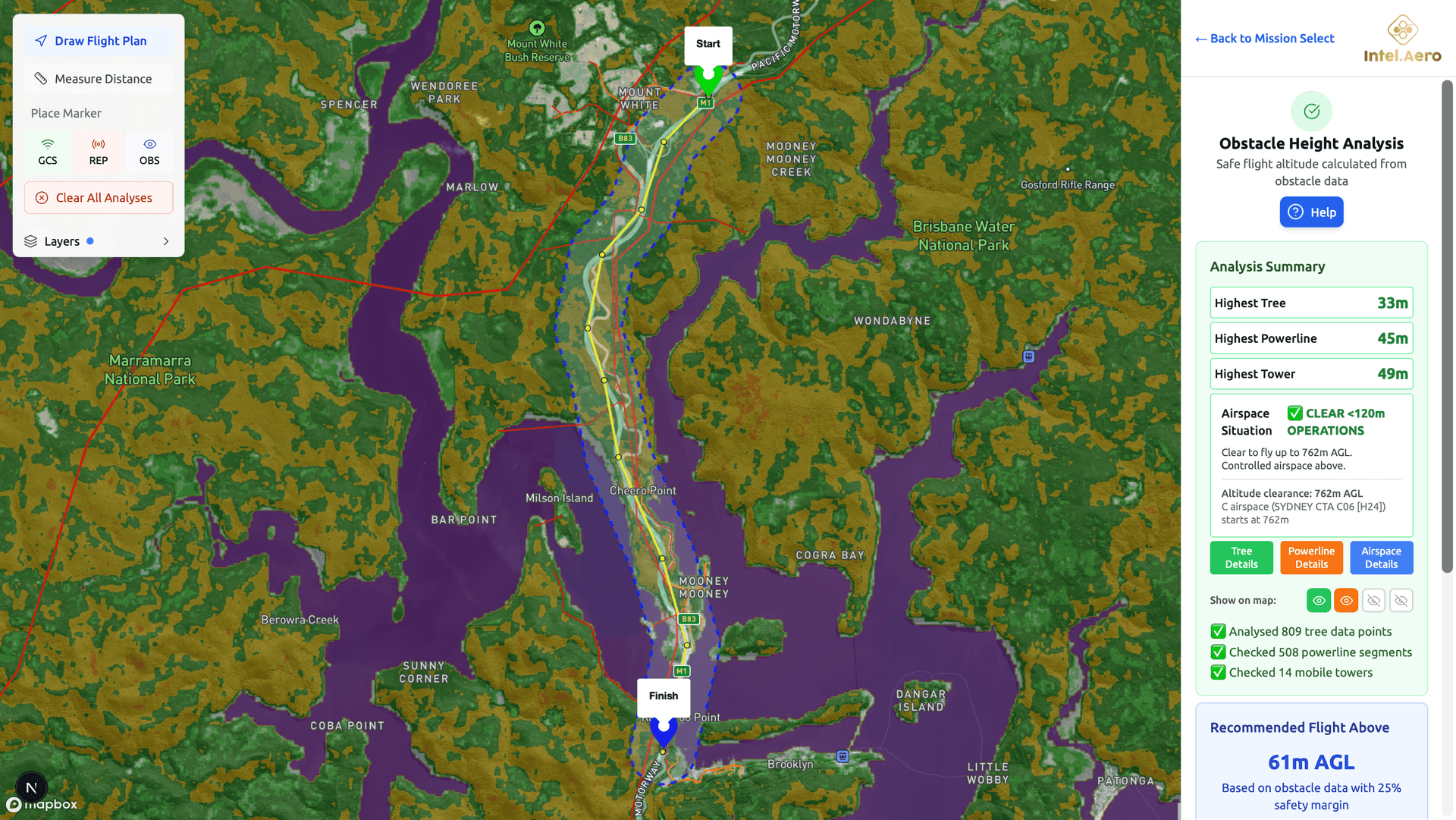
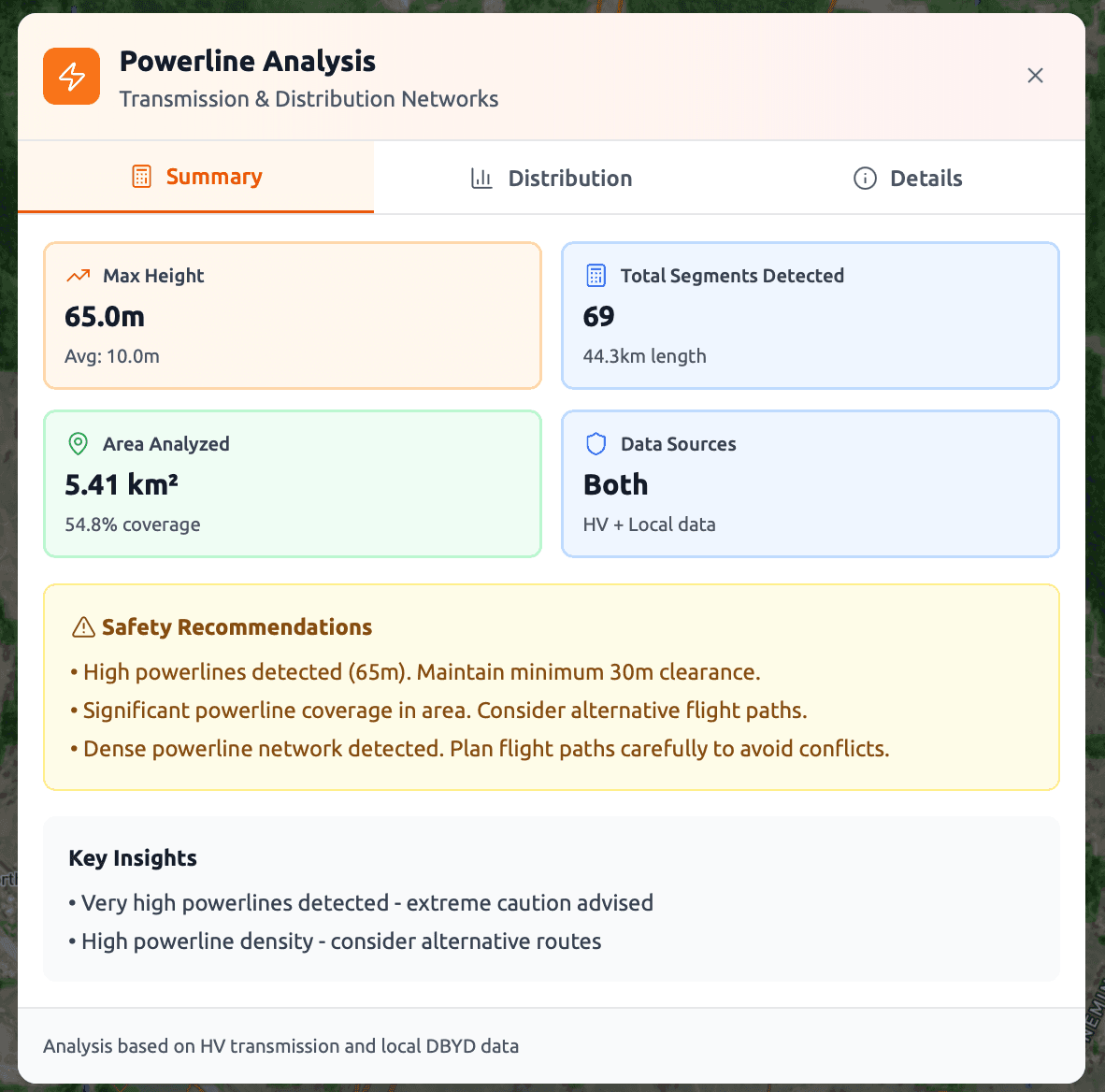
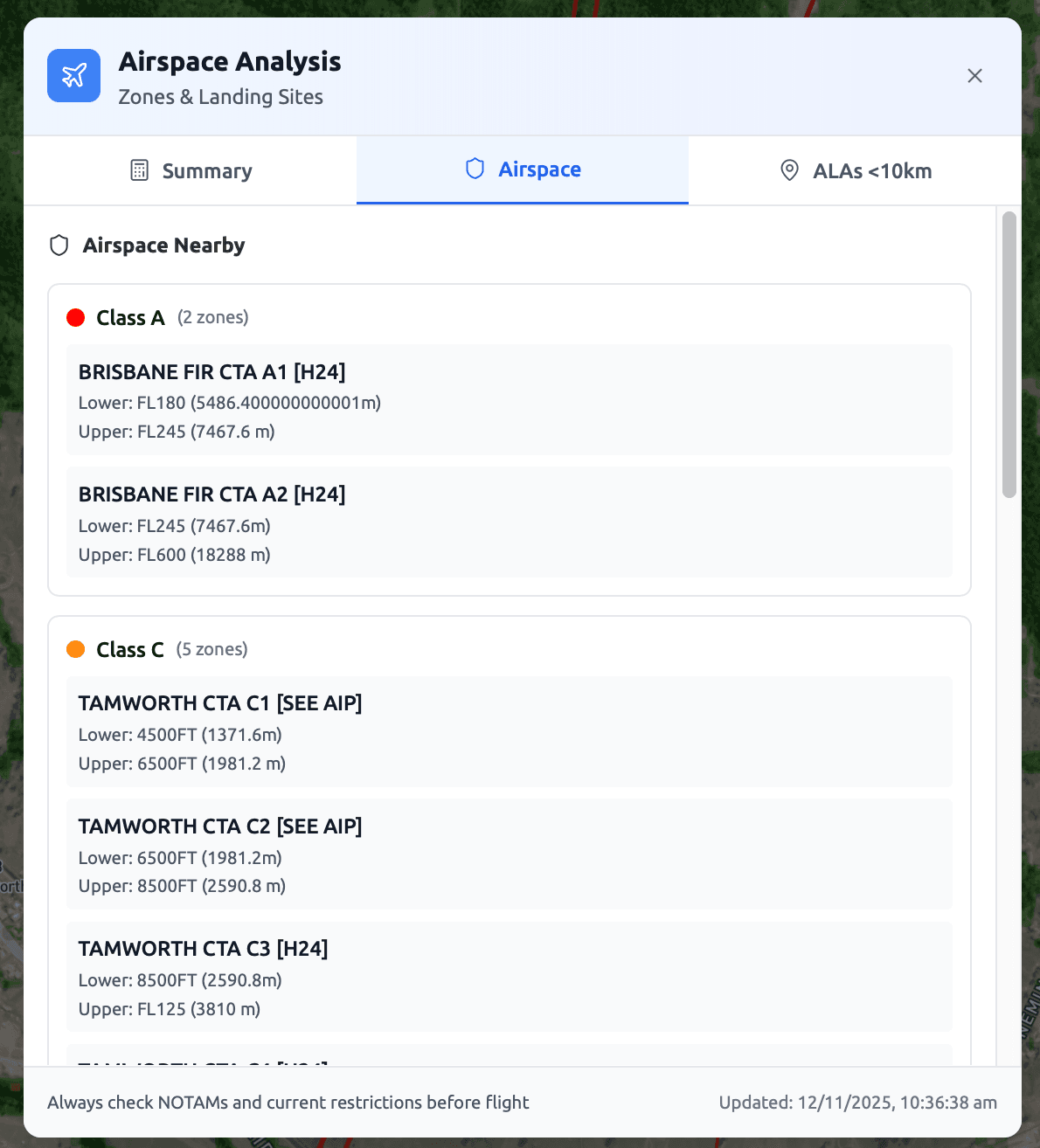
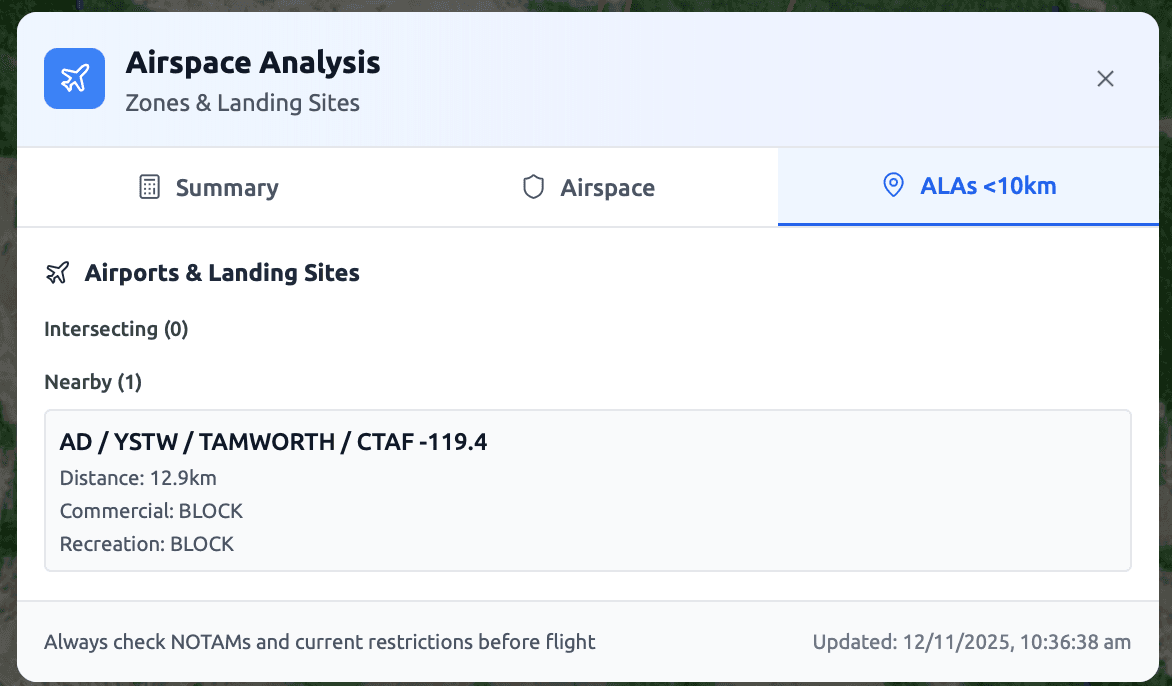
Analyses trees, powerlines, airspace and mobile towers in your Area of Operations to calculate maximum obstacle heights and recommend safe flight altitude.

What It Analyses

Tree Heights
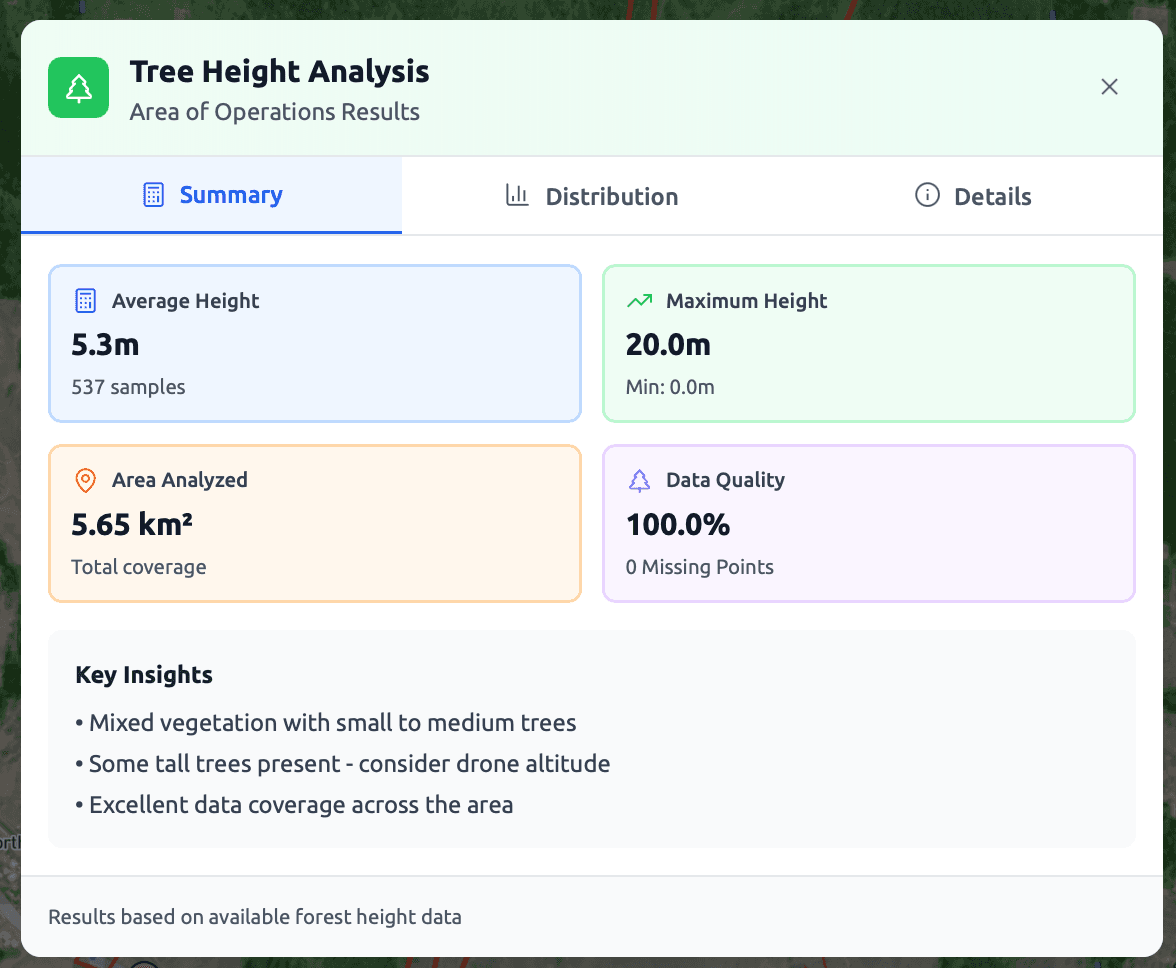
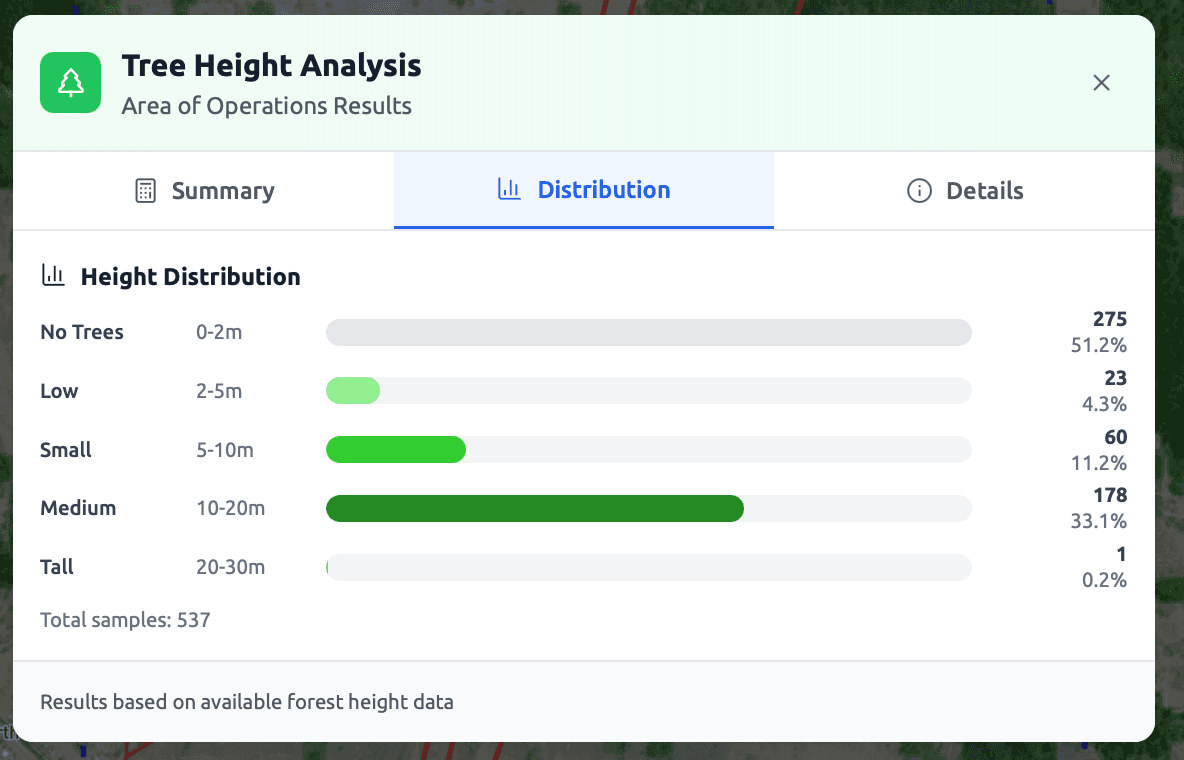
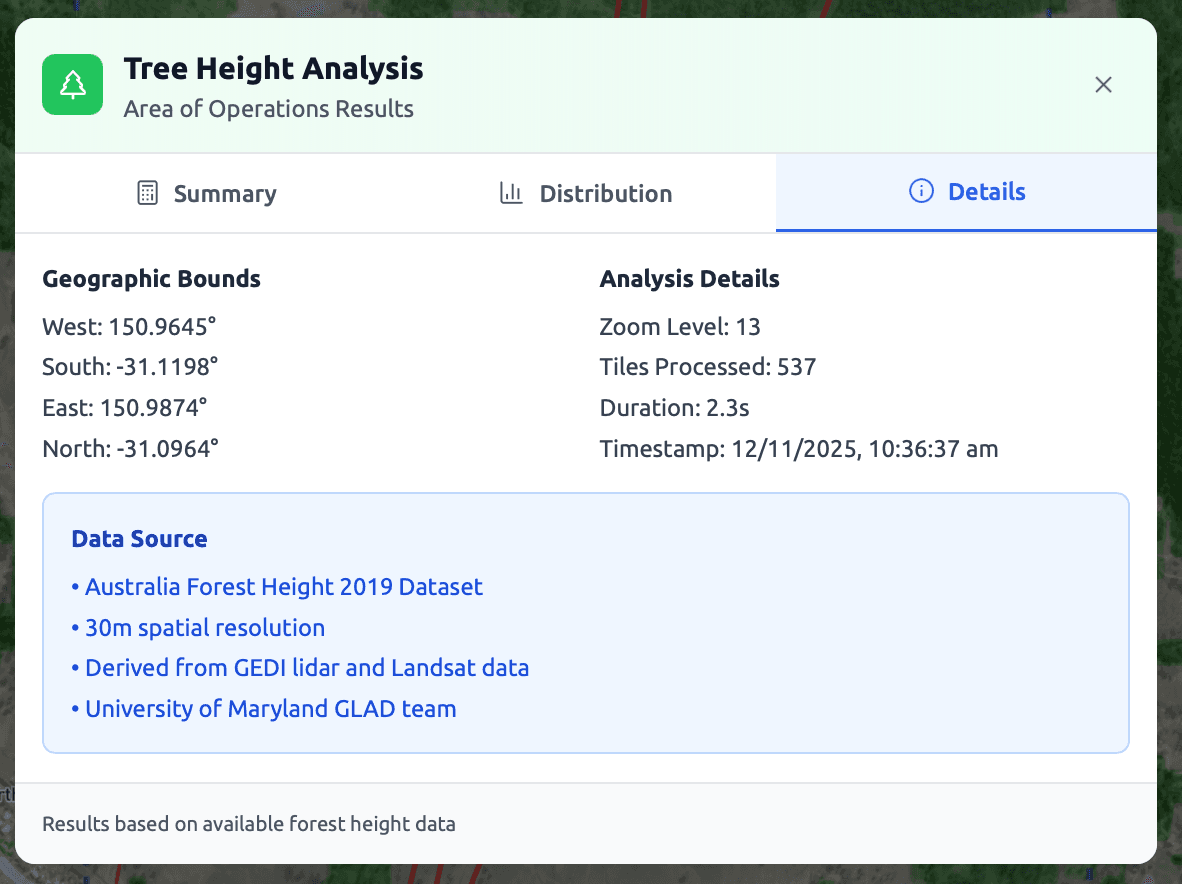
GLAD 2019 forest height data across your AO
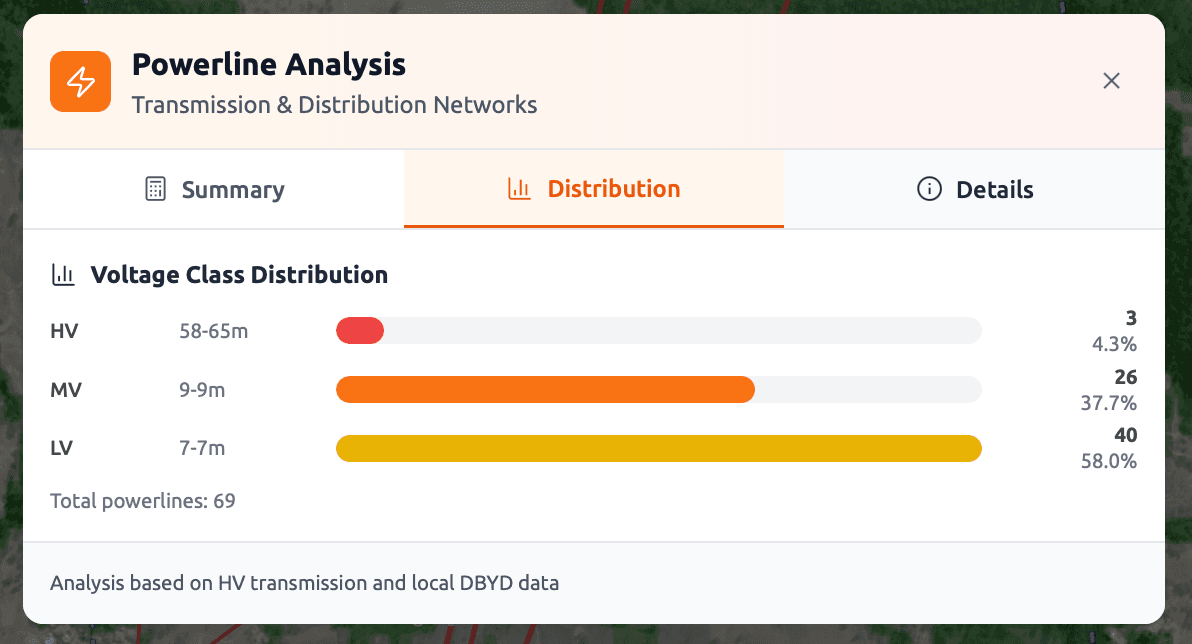
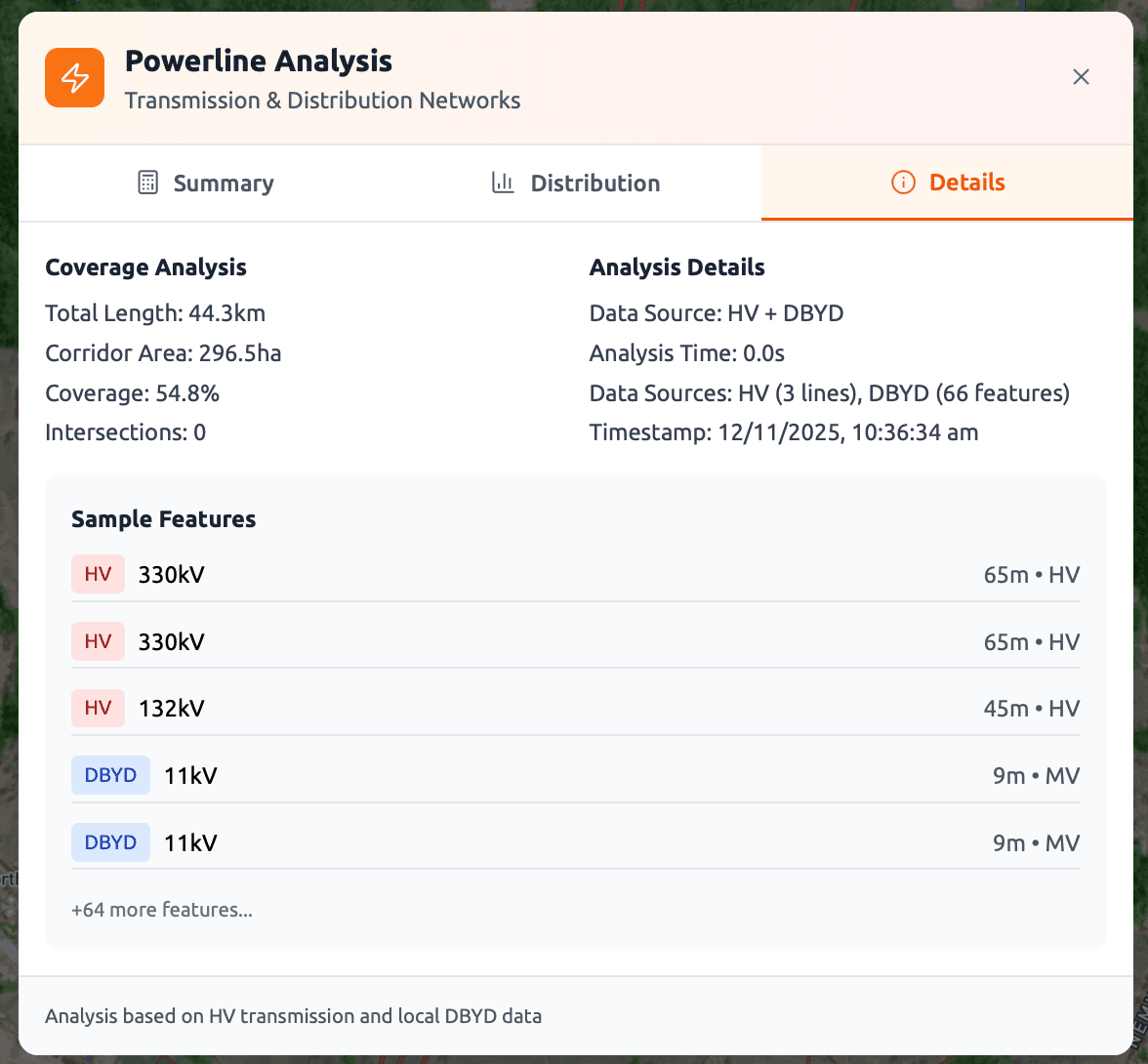
Powerline Heights
Australia BYDA and HV network powerline databases with voltage-based height calculations
Mobile Tower Heights
Aus telecommunications tower database with height validation
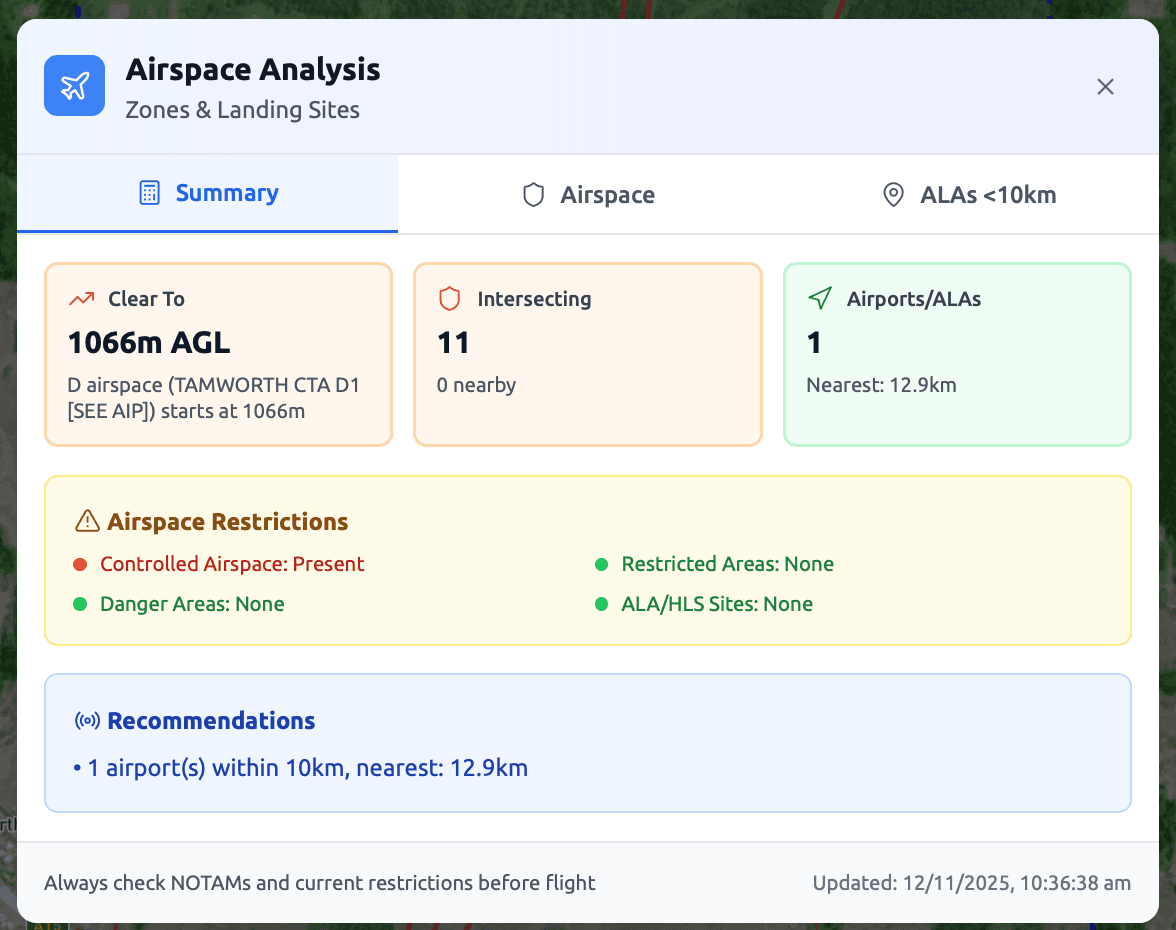
Airspace Restrictions
Airspace status and regulatory constraints

Key Outputs

Maximum Obstacle Height:Calculated
Recommended Safe Altitude:AGL with safety margin
Safety Margin:Configurable (default 25%)
Airspace Status:Validated
Safety Assessment Interface - Screenshot 1
Safety Assessment Interface - Screenshot 2
Safety Assessment Interface - Screenshot 3
Safety Assessment Interface - Screenshot 4
Safety Assessment Interface - Screenshot 5
Safety Assessment Interface - Screenshot 6
Safety Assessment Interface - Screenshot 7
Safety Assessment Interface - Screenshot 8
Safety Assessment Interface - Screenshot 9
Safety Assessment Interface - Screenshot 10
Click to view fullscreen

Why it matters: Know your safe altitude before planning your flight path—eliminate collision risks from the start

Data Sources

Tree Heights
GLAD 2019 forest height database + specification data
Powerlines
Australian BYDA API (HV, LV, SWER networks) + HV transmission databases
Towers
ACMA (Australia) Mobile tower databases + specification data
Airspace
Latest Airservices Australia Airspace and restrictions data
Step 2

Crew Placement & Line-of-Sight

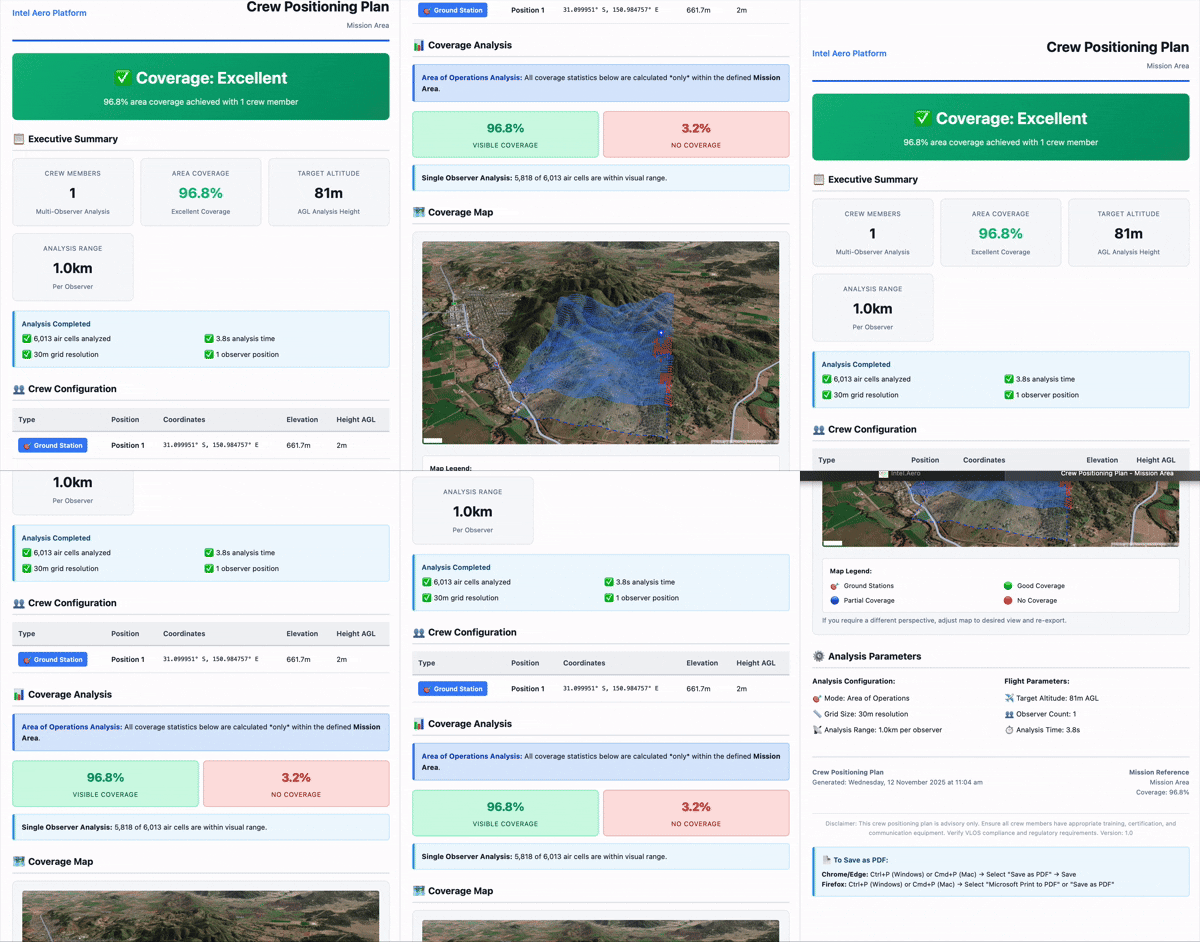
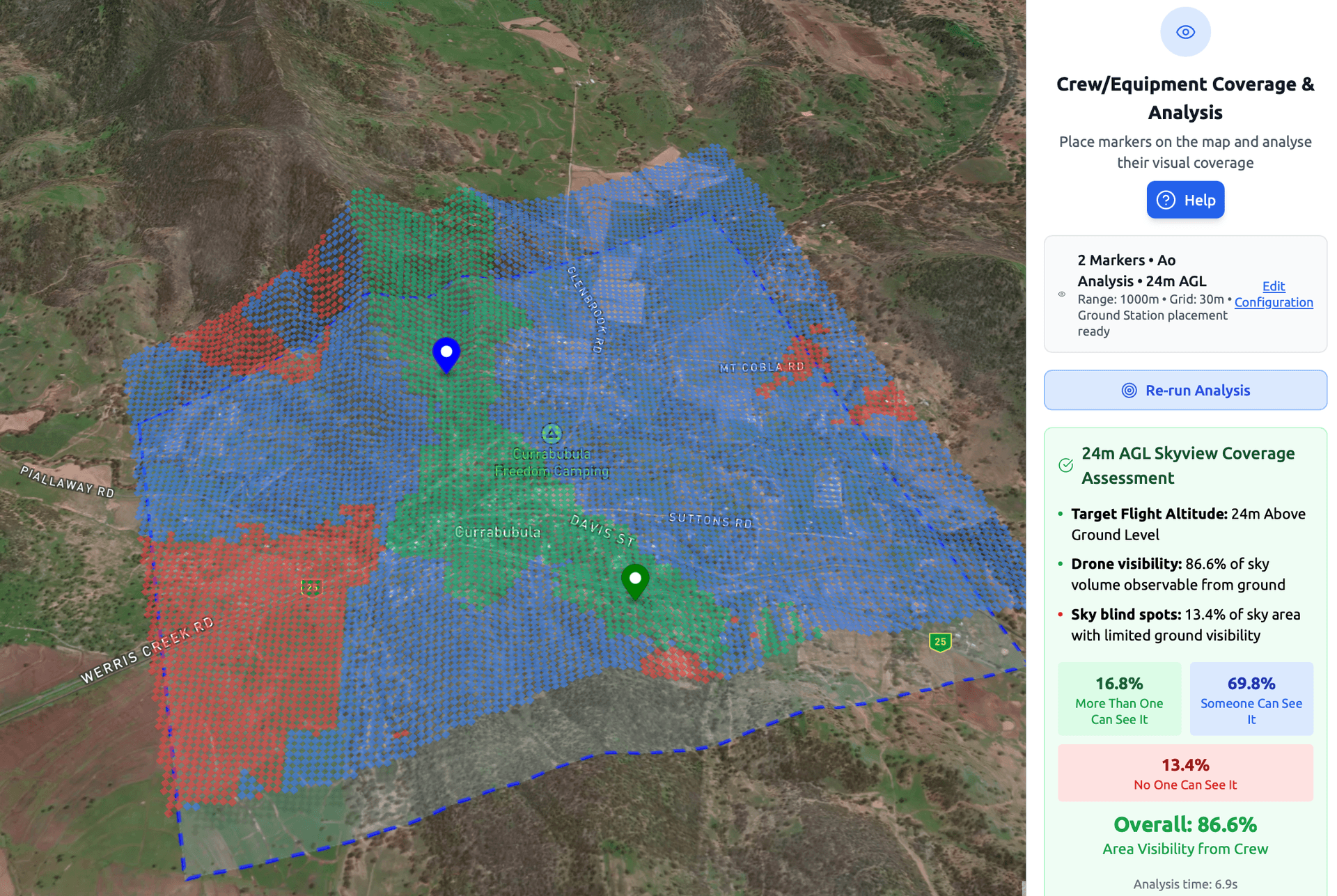
Optimises observer, ground station, and repeater placement with line-of-sight analysis to ensure EV/BVLOS compliance.

Crew Placement Interface - Animated demonstration
Crew Placement Demo
Click to view full report

Why it matters: Ensure EV/BVLOS compliance with optimal crew positioning—no more guessing where observers should be

What It Analyses

Optimal Crew Positions
Terrain-based placement optimisation for observers, ground stations, and repeaters
Line-of-Sight Coverage
Viewshed analysis along your flight path with coverage percentage
Visibility Gaps
Identifies areas requiring additional observers or repositioning
Observer-to-Observer LOS
Validates communication links between crew positions

Key Outputs

Recommended Crew Positions:Optimised locations
Visibility Coverage:Percentage along path
LOS Validation:Complete network check
Crew Plan Document:Exportable report

Data Sources

Terrain Elevation
Multi-source global elevation data: 3DEP (10m/3m in US), SRTM (30m globally), GMTED, ETOPO1 bathymetry, and Geoscience Australia ELVIS (5m LiDAR-derived DEM in coastal regions). Learn more
Analysis Method
3D air volume grid generation with adaptive LOS sampling (5-20 points), configurable grid resolution (10-100m, default 30m), and multi-observer unified coverage analysis
Step 3

Post Planning Mission Validation

Once you've decided upon your flight path, combat the top causes of drone accidents by validating your energy consumption, terrain clearance, and complete visibility network for your entire mission

Energy Analysis

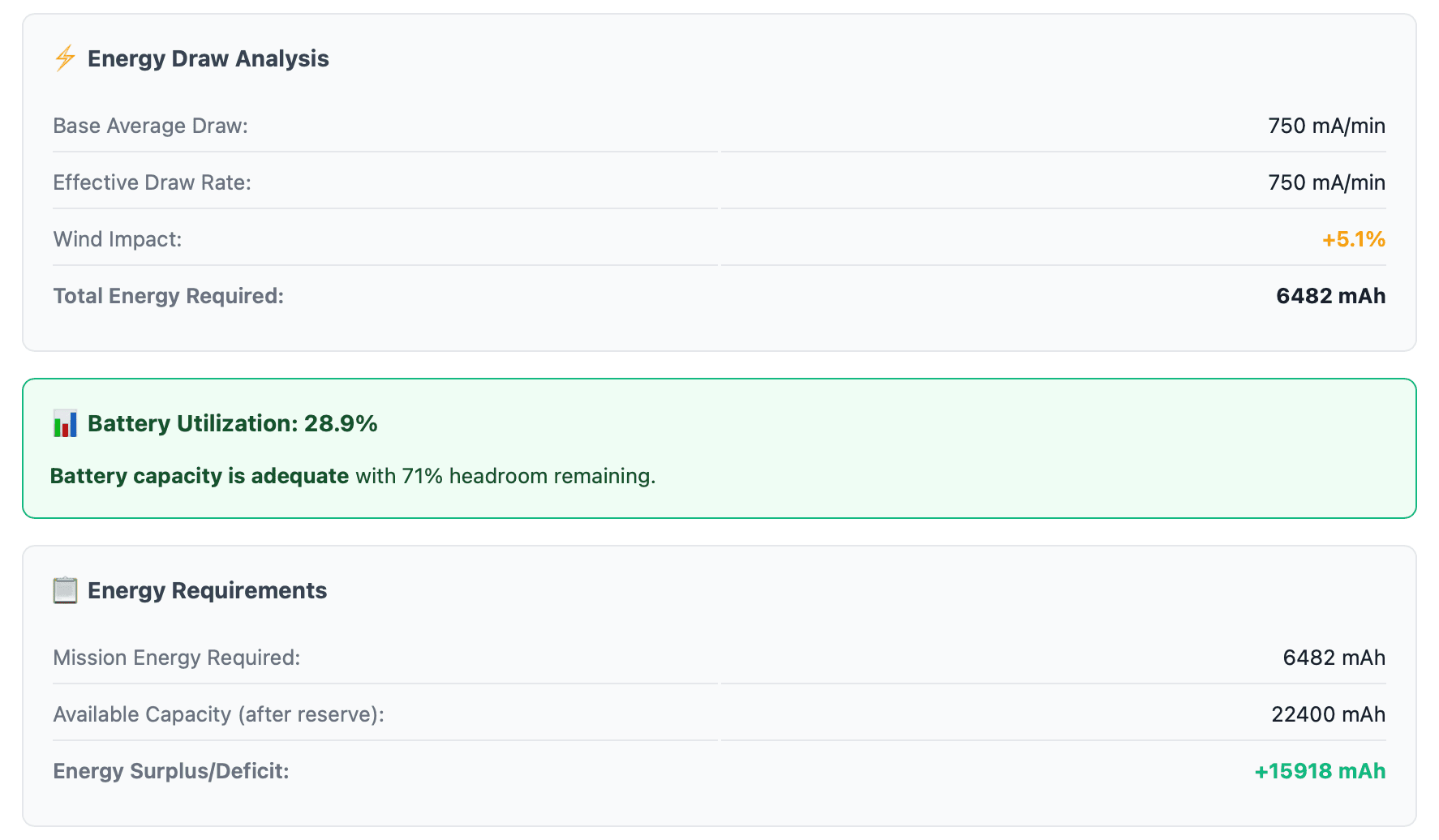
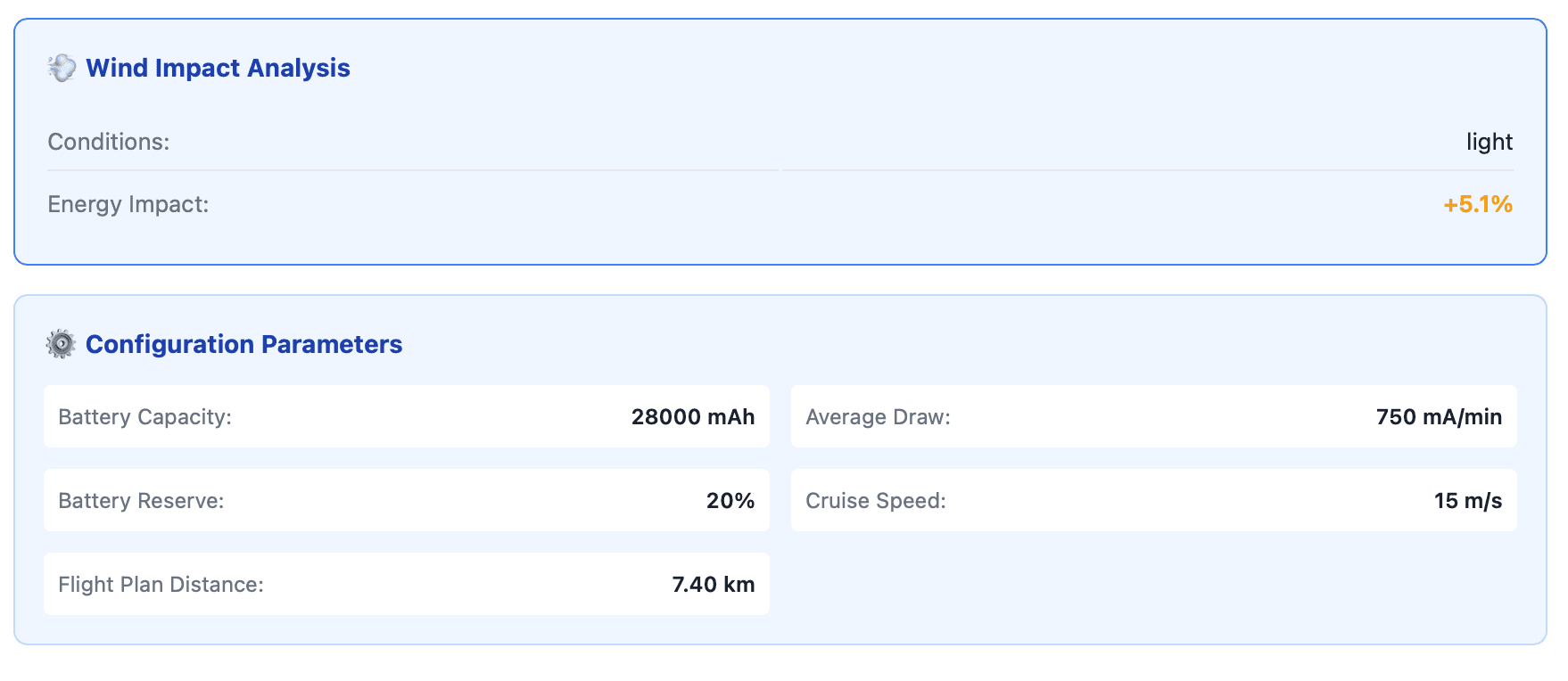
Automated battery consumption validation vs your drone's battery draw and weather scenario generator.

Battery consumption
Against planned route and weather

Terrain Analysis

Flight path clearance validation using multi-source global elevation data.

Path clearance
Terrain margins

Visibility Analysis

Complete mission line-of-sight validation and observer network optimisation.

LOS coverage
Observer network

Validation Outputs

Post Planning Mission Validation provides comprehensive outputs for each validation type. Select an output below to preview.
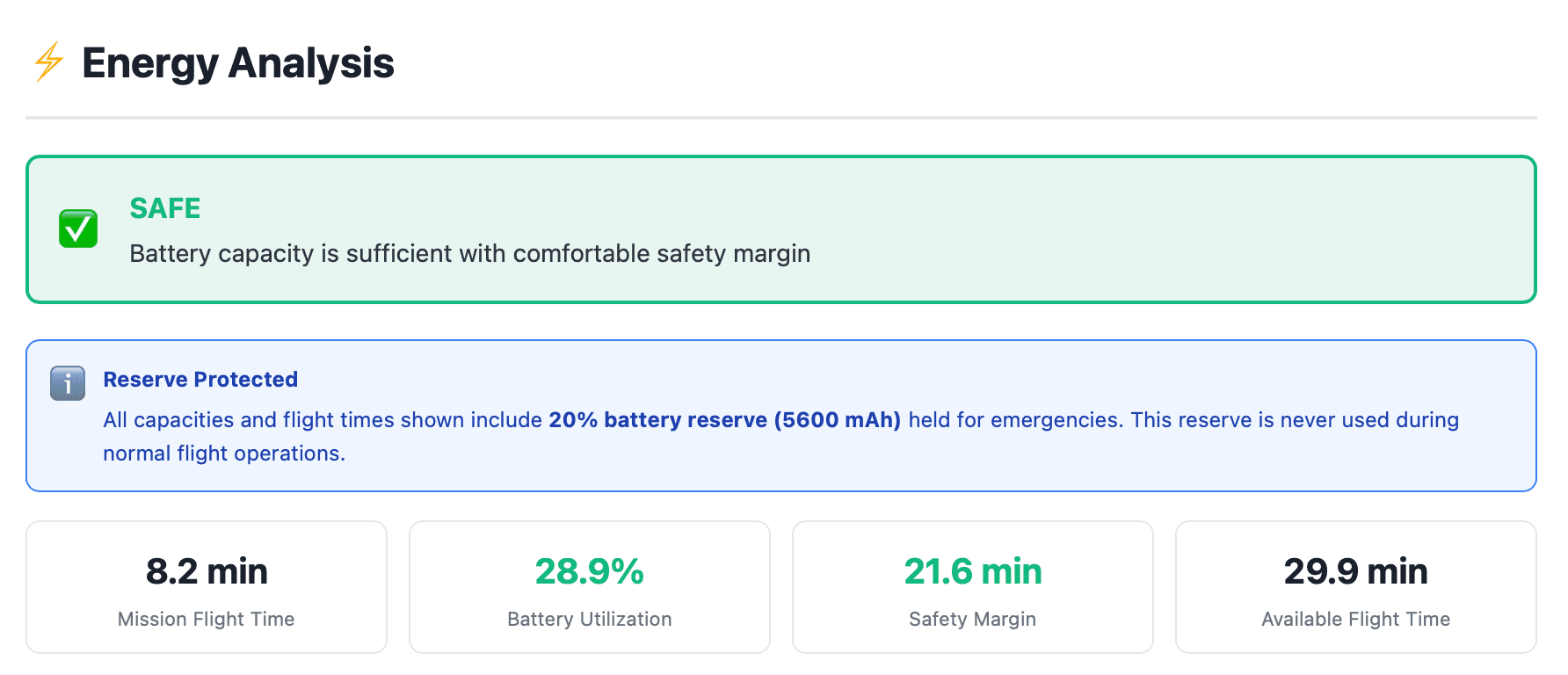
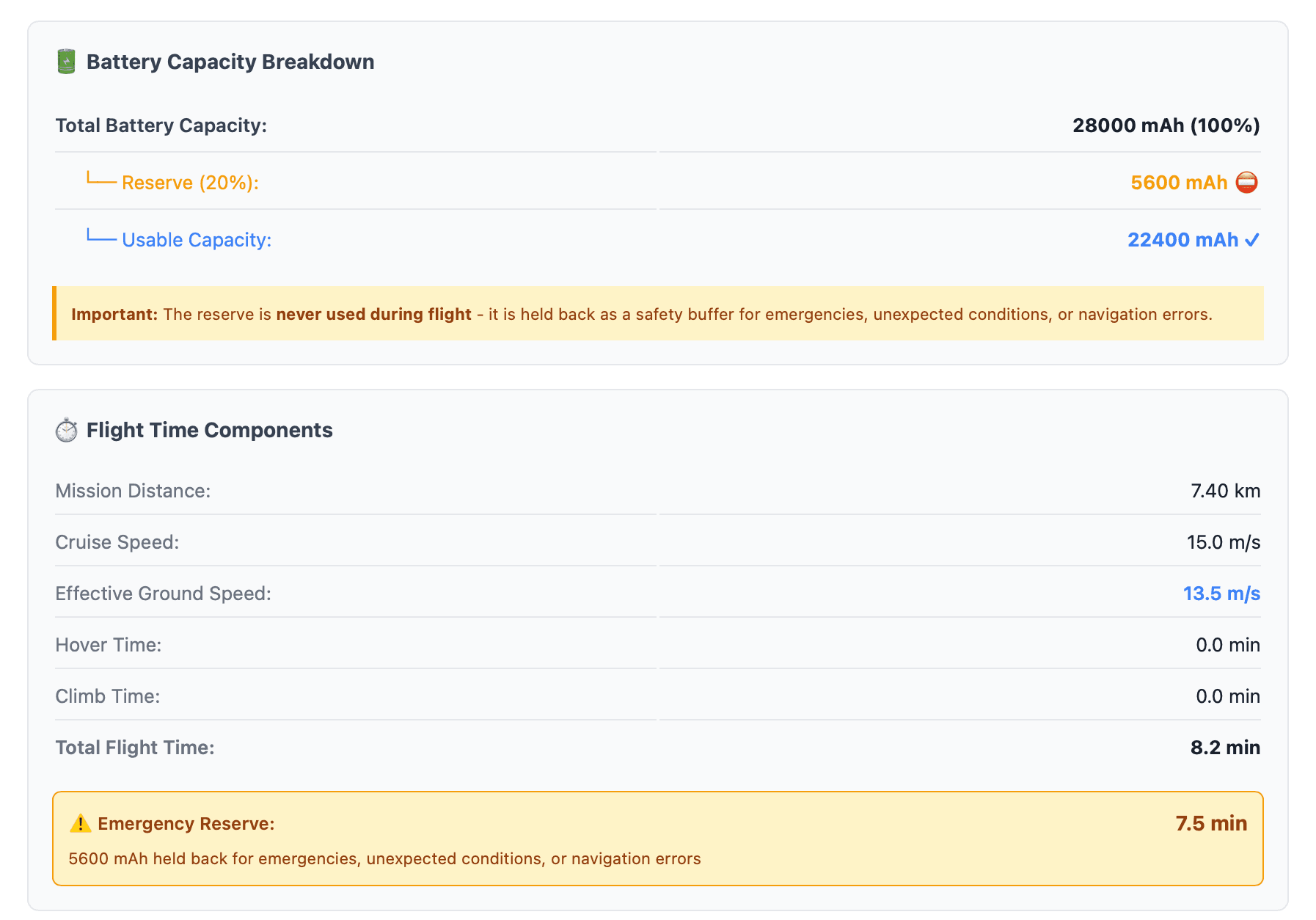
Energy Analysis Output
energy output - Screenshot 1
energy output - Screenshot 2
energy output - Screenshot 3
energy output - Screenshot 4
Click to view fullscreen

Why it matters: Final validation that your complete mission is safe, compliant, and ready to fly

Data Sources

Terrain Data
Multi-source global elevation: 3DEP (10m/3m US), SRTM (30m global), GMTED, ETOPO1 bathymetry, Geoscience Australia ELVIS (5m LiDAR coastal regions). Learn more
Energy Calculations
Aircraft battery specifications (capacity, draw rate, reserves), flight path geometry (distance, speed, hover/climb phases), and weather scenario modeling (wind vectors, direction, speed)
Visibility Analysis
3D air volume LOS analysis with terrain-based viewshed calculations, adaptive sampling algorithms, and multi-observer coverage gap detection

Why We Built It

We're operators who got tired of spending more time planning than flying missions. So we built Intel Aero to turn days of manual planning into hours of automated validation—whilst also combatting the top causes of drone accidents.

Top Causes of Drone Accidents

1
Energy & Battery Failures
Insufficient battery capacity or miscalculated consumption leads to power loss mid-flight
2
Terrain & Obstacle Collisions
Inadequate clearance analysis results in collisions with terrain, trees, powerlines, or structures
3
Loss of Visual and Electronic Contact
Poor observer placement or insufficient LOS coverage leads to loss of contact and control

Turn Days Into Hours

Hours → minutes
Automated validation replaces days of manual terrain analysis, observer placement, and energy calculations
Quote in hours instead of days
Respond to clients before they move on—win 10x more jobs with the same team
One complete package
All validations combined in one exportable report—ready for client approval and regulatory submission

The Complete Package

All three analyses combined in one professional report—ready for export

Safety Brief

From Step 1: Obstacle analysis and recommended altitude

Crew Plan

From Step 2: Observer positions and LOS validation

Mission Assurance Package

From Step 3: Complete validation with all analyses

Export Capabilities

HTML Reports
Professional formatted documents
Map Screenshots
Visual documentation of analyses
Data Exports
Raw data for further analysis

Ready to Validate Your Mission?

Start your first Mission Assurance analysis

No signup required • Export results immediately